Zcash Mining Guide: Joining a Mining Pool with Personal Hardware
Point your GPU or ASIC at a pool, share the work with other miners, and get steady ZEC payouts instead of waiting years for a solo block.
TL;DR
- Zcash uses Equihash proof of work. ASICs dominate the network, so GPUs are mainly for hobbyists and testing.
- Solo mining rarely finds a block for small setups. A pool combines hashrate and pays you a share of each block it finds.
- You need three things: a Zcash wallet address for payouts, mining hardware, and mining software (or the ASIC's built-in dashboard).
- Pools differ by fee (about 0-2%), payout method (PPLNS, PPS+), minimum payout and server location.
- Check profitability first: electricity price, hardware cost and the ZEC price decide whether mining pays at all.
- Advanced route: run your own Zebra node and mine against its
getblocktemplate RPC.
Core Explanation
Mining is how new Zcash blocks get made. Miners race to solve an Equihash puzzle; the first valid solution adds the next block and earns the block reward. The more hashrate you contribute, the more often you win, but against today's network a single home rig would almost never win on its own.
A mining pool fixes that. The pool hands each miner smaller pieces of work called shares. Every accepted share proves you contributed hashrate. When anyone in the pool finds a block, the reward is split according to shares, and you get paid automatically once your balance passes the pool's minimum.
The setup has five parts, covered step by step below:
- A wallet address to receive payouts.
- Hardware: GPUs in a PC, or an Equihash ASIC.
- A pool account (or just your address, for pools without registration).
- Mining software pointed at the pool's stratum server, with
YOUR_ADDRESS.WORKER_NAME as the user name.
- Monitoring: accepted shares, hashrate, temperature and unpaid balance.
Introduction
Zcash (ZEC) is a privacy-focused cryptocurrency that uses the Equihash proof-of-work algorithm for mining. Mining Zcash involves using computational power to solve complex mathematical problems, validating transactions, and securing the network in exchange for ZEC rewards. Due to the network's high difficulty, solo mining is not recommended for most users. Joining a mining pool is the best way to earn consistent rewards by combining your hash power with others.
This guide focuses on mining Zcash using personal hardware (e.g., a home PC with GPUs or entry-level ASICs). Note that while GPUs can still mine Zcash, ASICs are far more efficient and profitable in 2026 due to network difficulty. Always check current profitability using tools like WhatToMine.com, as factors like electricity costs, hardware prices, and ZEC value affect viability. Mining may not be profitable for everyone; research local regulations and energy rates (aim for < $0.08/kWh).
Requirements
Hardware
- GPU Mining (Personal Setup Recommended for Beginners):
- NVIDIA or AMD GPUs with at least 4GB VRAM (e.g., NVIDIA GTX 1070, RTX 3060; AMD RX 580 or better).
- A compatible motherboard, sufficient PSU (at least 750W for multiple GPUs), and good cooling to prevent overheating.
- Multi-GPU rigs are common for better hash rates (e.g., 6x GPUs can achieve 1-2 kSol/s).
- ASIC Mining (More Efficient but Higher Cost):
- Equihash-compatible ASICs like Bitmain Antminer Z15 (420 kSol/s) or Innosilicon A9 (50 kSol/s).
- These are louder, hotter, and consume more power (e.g., 1500W+); suitable for dedicated spaces. Buy from reputable sources like Bitmain.com or resellers (Blockware Mining).
- General: Stable internet, a computer for setup/monitoring. ASICs dominate the network (~13 GSol/s total hashrate in 2026), making GPU mining less competitive but still possible for hobbyists.
Software
- Operating System: Windows 10/11, Linux (Ubuntu recommended for stability).
- Mining Software:
- For GPUs: lolMiner (supports AMD/NVIDIA), GMiner, or miniZ (NVIDIA-focused). Download from official GitHub repos (e.g., github.com/Lolliedieb/lolMiner-releases).
- For ASICs: Use the manufacturer's built-in firmware/dashboard (e.g., Bitmain's web interface).
- Wallet: A Zcash wallet to receive payouts. Recommended:
- Shielded (private): ZODL Wallet, Zingo (Mobile/Desktop), Zkool (mobile/desktop).
- Transparent (easier but less private): Edge Wallet.
- Download from wallets. Generate a shielded address (starts with 'zs') for privacy if the pool supports it.
Other
- Electricity: Calculate costs. GPUs use 150-300W per card; ASICs 1000W+.
- Antivirus: Disable during setup as it may flag miners as threats.
Step-by-Step Guide to Joining a Mining Pool
Step 1: Set Up Your Zcash Wallet
- Download and install a wallet from the official Zcash website wallets.
- Create a new wallet and back up your seed phrase securely.
- Generate a receiving address (preferably shielded for privacy). Note it down, e.g.,
zs1exampleaddress....
- If using a transparent address (starts with 't'), it's simpler but offers less privacy.
Step 2: Prepare Your Hardware
- For GPUs:
- Install GPUs in your PC and update drivers (NVIDIA: GeForce Experience; AMD: Radeon Software).
- Overclock if experienced (use MSI Afterburner for stability; aim for +100-200 core clock, -500 memory for efficiency).
- For ASICs:
- Connect the ASIC to power and Ethernet.
- Find its IP address using a tool like Advanced IP Scanner or the manufacturer's app.
- Access the web dashboard (e.g., enter IP in browser, default login: root/root for Bitmain).
Warning: Ensure proper ventilation; mining generates heat. Start small to test.
Step 3: Choose and Join a Mining Pool
Mining pools distribute work and share rewards based on your contributed hashrate. Select based on fees (0-2%), payout minimum (0.01-0.1 ZEC), location (low ping), and reliability.
Recommended Pools (Based on Hashrate, Fees, and Reviews):
- 2Miners (zec.2miners.com): 1% fee, PPLNS payout, supports GPU/ASIC/NiceHash. High hashrate (~1.17 GSol/s), reliable servers.
- F2Pool (zec.f2pool.com): 2% fee, PPS+ payout, multi-coin support. Large pool (~2.57 GSol/s).
- ViaBTC (zec.viabtc.com): 2% fee (PPS+), user-friendly dashboard, global servers.
- AntPool (zec.antpool.com): 1% fee, from Bitmain, good for ASICs (~494 MSol/s).
- Foundry Zcash Pool (foundrydigital.com/foundry-zcash-pool/): Professional Zcash mining pool by Foundry Digital. Uses PPLNS payouts, offers transparent reward tracking and enterprise-grade support. Best suited for institutional and large-scale ASIC miners; requires account verification.
- Sovright (mining.sovright.com): A Zcash pool built on Stratum V2, currently running as a public testnet. No live ZEC payouts yet, so treat it as a way to test your setup rather than an earnings source. See the dedicated section below for details.
- Others: Kryptex Pool, Luxor (check poolwatch.io/coin/zcash for real-time stats).
- Visit the pool's website and create an account (email or no registration for some like 2Miners).
- Add your Zcash wallet address in the settings for payouts.
- Note the pool's stratum server (e.g., zec.2miners.com:1010) and port.
- For GPUs (Example: lolMiner on Windows/Linux):
- Download lolMiner from GitHub (latest version, e.g., 1.88).
- Extract to a folder.
- Create a batch file (start.bat) with configuration:
Code-highlight
lolMiner.exe --coin ZEC --pool zec.2miners.com:1010 --user YOUR_WALLET_ADDRESS.WORKER_NAME --pass x
- Replace
YOUR_WALLET_ADDRESS with your ZEC address.
WORKER_NAME: A name for your rig (e.g., Rig1).- For EU servers: eu.zec.2miners.com:1010.
- Run the batch file. It will connect to the pool and start mining.
- For ASICs (Example: Bitmain Antminer):
- Log into the web dashboard.
- Go to Miner Configuration.
- Add pool details:
- URL: stratum+tcp://zec.2miners.com:1010
- Username: YOUR_WALLET_ADDRESS.WORKER_NAME
- Password: x (or blank).
- Save and reboot the miner.
- For other software (e.g., GMiner):
Code-highlight
miner.exe --algo 125_4 --server zec.2miners.com:1010 --user YOUR_WALLET_ADDRESS.WORKER_NAME --pass x
Test: Run for 10-15 minutes; check console for accepted shares and hashrate.
Step 5: Start Mining and Monitor
- Launch the miner: it will connect to the pool and begin submitting shares.
- Monitor via:
- Pool dashboard: Enter your wallet address to see hashrate, unpaid balance, and stats.
- Software console: Watch for errors, temperature (keep < 80 degrees C).
- Tools: Use HiveOS or SimpleMining OS for remote rig management.
- Payouts: Most pools pay automatically when you reach the minimum (e.g., 0.05 ZEC). Check pool rules.
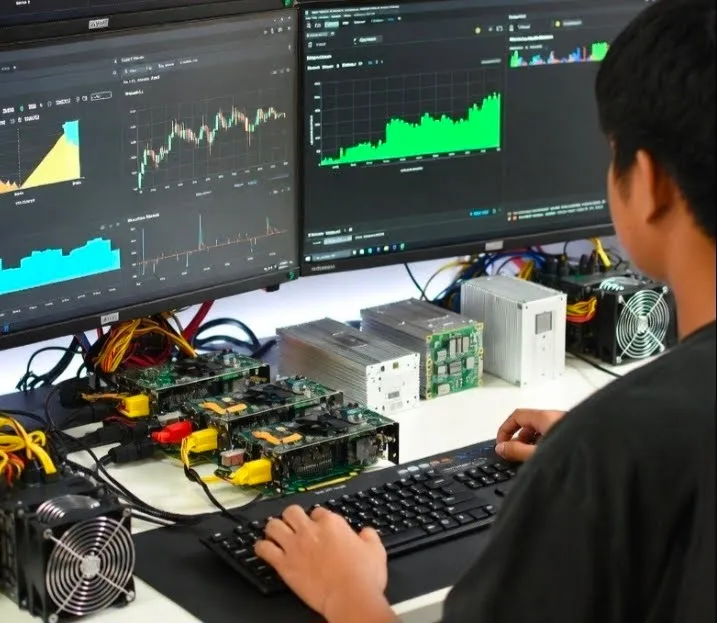
Monitoring Foundry Zcash Pool
For Foundry Zcash Pool users:
- Monitor miner performance through the Foundry pool dashboard.
- Check:
- Active workers
- Reported hashrate
- Accepted shares
- Estimated rewards
- Payout status
Because Foundry uses a PPLNS reward model, mining rewards depend on contributed shares over the pool's reward window rather than instant hashrate alone.
Recommended monitoring practices:
- Compare ASIC dashboard hashrate with Foundry reported hashrate.
- Investigate rejected shares, stale shares, or connection instability.
- Maintain stable network connectivity because downtime reduces submitted shares and potential rewards.
Sovright: Testnet Pool and Relay Network
Sovright (sovright.com) runs a Stratum V2 mining pool and a separate block relay network. They do different jobs, so they are covered separately below.
Mining Pool (mining.sovright.com)
Sovright's pool runs on a public Zcash testnet (NU6, Stratum V2), not mainnet. The testnet does not pay out real ZEC. Use it to test your miner configuration, not to earn.
-
No account is required to start. Point a CPU or ASIC Equihash miner at the pool and your shares show up on a live dashboard.
-
Sovright also publishes an open source Stratum V2 proxy for miners who want to choose their own block templates instead of just taking the pool's jobs:
Code-highlight
git clone https://github.com/sovright/mining-infra
cd mining-infra
cargo build --release -p sovright-v1-stratum-proxy
./target/release/sovright-v1-stratum-proxy --listen 0.0.0.0:3334 --upstream 34.28.134.13:3333
Point your miner at the proxy instead of the pool directly:
Code-highlight
stratum+tcp://<your-proxy-ip>:3334
using a worker name like yourname.rig1.
-
Sovright's transparency page states an "include all" policy for shielded transactions, unlike some pools that filter them out. Each block gets a signed attestation so the policy can be checked independently.
-
Create an account at mining.sovright.com (Google or email sign in) to track your own workers instead of the sample dashboard data.
Relay Network (relay.sovright.com)
Sovright separately runs a public block relay network on Zcash mainnet. When a pool finds a block, how fast that block reaches the rest of the network determines how often it gets orphaned, meaning it loses the propagation race and the reward for it is lost. The relay forwards blocks across four regions using compact block relay with forward error correction.
The public dashboard shows the effect live: relay-connected regions see new blocks in well under half the time plain peer to peer gossip takes, and the dashboard tracks the network's live orphan rate.
This is infrastructure for pool operators, not individual miners. Sovright's open source mining-infra repository documents a submitblock relay gateway for fanning found blocks into the mesh faster than native P2P. To connect, contact Sovright directly (support@sovright.com) for relay peer addresses and an auth key.
Mining against your own Zebra node
Everything above points your miner at someone else's pool. The other route is to run a node yourself and have your mining software ask it for work. Since zcashd halted on 18 July 2026, that means Zebra, the node this section covers.
Zebra's part is small and specific: it builds block templates and accepts solved blocks over its RPC interface. The hashing is done by mining software, and sharing rewards between several miners is the job of pool software. Whether mining alone ever finds a block depends on your share of the network's hash rate, which this section does not try to estimate. That is why the introduction to this page does not recommend solo mining for most users.
The steps follow two Zebra Book pages, Mining Zcash with Zebra and Mining with Zebra in Docker, as they stood on 8 October 2026. Key names and defaults change between releases, so check the Book before you rely on one.
Set the address that receives the reward
Create a config file with the default settings, then edit it:
Code-highlight
mkdir -p ~/.config
zebrad generate -o ~/.config/zebrad.toml
A miner address is required (Book: Miner address):
Code-highlight
[mining]
miner_address = "YOUR_ADDRESS"
Zebra accepts a transparent P2PKH or P2SH address, a Sapling address, or a Unified Address. For a Unified Address with more than one receiver, the Book says Zebra pays a single receiver, "preferring Orchard, then Sapling, then transparent".
Two optional keys go in the same [mining] section:
| Key | What it does | Limit |
|---|
extra_coinbase_data | Adds a public tag, such as a pool name, to the coinbase input of every block you mine, after Zebra's own marker (Book) | 86 bytes. Above that, "Zebra refuses to start" |
miner_memo | Attaches a shielded memo to the reward output. Unlike extra_coinbase_data it is not public: only someone with a viewing key for the receiving address can read it (Book) | 512 bytes. It only works when the reward goes to a shielded receiver. With a transparent address it "silently has no effect" |
Open the RPC port
Mining software talks to Zebra over JSON-RPC, which stays off until you give it an address to listen on (Book: RPC section):
Code-highlight
[rpc]
listen_addr = "127.0.0.1:8232"
8232 is the standard RPC port on Mainnet. 127.0.0.1 keeps the port reachable from the same machine only.
Since Zebra 2.0.0 a cookie protects the RPC port, a method similar to the one zcashd used. Zebra writes the cookie when the RPC endpoint starts and deletes it at shutdown. By default the file sits in Zebra's cache directory, for example /home/user/.cache/zebra/.cookie on Linux, and holds one line:
Code-highlight
__cookie__:PASSWORD
rpc.cookie_dir moves the file. rpc.enable_cookie_auth = false turns the check off, and with it the only authentication the RPC port has: anything that can reach the port can then call it.
Start Zebra and let it sync
Zebra reads the config from the default location. Pass -c /path/to/zebrad.toml to use another file. Wait for the sync to finish. The log shows sync_percent=100.000% when it has (Book: Running zebra). Zebra Full Node covers hardware and disk space.
Check it with getblocktemplate
getblocktemplate is the call mining software makes to get work, so it is also the quickest test (Book: Testing the setup). Put the contents of your cookie file in place of __cookie__:PASSWORD:
Code-highlight
curl --silent --data-binary '{"jsonrpc": "1.0", "id":"curltest", "method": "getblocktemplate", "params": [] }' -H 'Content-type: application/json' http://__cookie__:PASSWORD@127.0.0.1:8232/ | jq
A working setup returns a result object with the fields a miner needs, among them previousblockhash, coinbasetxn, target and height. If you set extra_coinbase_data, the Book explains how to find your tag in coinbasetxn.data.
Point your mining software at it
Give your mining or pool software the RPC endpoint, 127.0.0.1:8232, and the user name and password from the cookie. The Book says Zebra "supports the RPC methods needed to run most mining pool software" (Book: Run a mining pool).
Two notes from the Book before you pick software:
- s-nomp is for testing only. The Book calls its s-nomp setup "experimental" and says s-nomp "is not compatible with NU5, so some mining functions are disabled". Its Testnet guide adds that s-nomp "has not been officially updated for NU5 or later network upgrades" and points production miners to pool software that supports the current upgrades.
- Zebra ships a ready-made stack. The Zebra repository has a Docker Compose setup in
docker/mining/ that starts Zebra together with a mining pool and, if you ask for it, a CPU miner. The pool in it is s-nomp and it starts on Testnet unless you change it, so treat it as a way to learn the moving parts.
The Docker route
The Book's shortest path is the zfnd/zebra Docker image, with the address and the RPC port passed as environment variables (Book: Mining with Zebra in Docker). The command below is the Book's with one change: it publishes the RPC port on the host's loopback address only, so other machines cannot reach it.
Code-highlight
docker run -d --name zebra_local \
  -e ZEBRA_MINING__MINER_ADDRESS="YOUR_ADDRESS" \
  -e ZEBRA_RPC__LISTEN_ADDR=0.0.0.0:8232 \
  -p 8233:8233 \
  -p 127.0.0.1:8232:8232 \
  -v zebrad-cache:/home/zebra/.cache/zebra \
  zfnd/zebra:latest
This starts a Mainnet node, publishes the P2P port (8233) on the Docker host, and makes the RPC port (8232) reachable from the host itself only. Print the cookie with:
Code-highlight
docker exec -it zebra_local cat /home/zebra/.cache/zebra/.cookie
- Keep
0.0.0.0 in ZEBRA_RPC__LISTEN_ADDR. That is the address Zebra listens on inside the container. Docker forwards a published port to the container's own network interface, so a Zebra listening on 127.0.0.1 inside the container would not receive the connection, even from the host. The 127.0.0.1: in front of -p is what keeps the port off the network.
- The Book's command publishes the RPC port with
-p 8232:8232, which opens it on every network interface of the host.
- To practise on Testnet, add
-e ZEBRA_NETWORK__NETWORK="Testnet", set ZEBRA_RPC__LISTEN_ADDR=0.0.0.0:18232, publish -p 18233:18233 and -p 127.0.0.1:18232:18232, and give a Testnet address. A Mainnet address stops Zebra from starting on Testnet, and the other way round.
Paying miners out and handling the wallet are outside this section. For the wallet side, see Zallet.
Tips and Best Practices
- Profitability: Use calculators like whattomine.com/coins/166-zec-equihash. Example: A RTX 3060 (~300 Sol/s) earns ~0.001 ZEC/day at $50/ZEC, minus ~$0.50 electricity.
- Privacy: Use shielded pools if available; avoid reusing addresses.
- Security: Use strong passwords; enable 2FA on pools/wallets. Never share private keys.
- Troubleshooting: If no shares, check firewall, antivirus, or wrong config. Join forums like forum.zcashcommunity.com or Reddit r/zec.
- Alternatives: If unprofitable, consider cloud mining or staking other coins.
- Environmental Note: Mining consumes energy; use renewable sources if possible.
- Updates: Zcash may evolve (e.g., potential PoS shift); check z.cash for news.