ZecHub
Ngwaọrụ Nzuzo
Ngwọta nzuzo bara uru

ZecHub
Ngwaọrụ Nzuzo
Ngwọta nzuzo bara uru

Data security and privacy are critical concerns for individuals and businesses alike. Cyberattacks and data breaches are becoming more and more common, and it is essential to take proactive steps to protect sensitive data and maintain your privacy. One such measure is using hardware security keys, which provide an extra layer of protection to protect your devices and data.
A hardware security key is a physical device used for two-factor authentication (2FA) to protect your accounts and devices. It works in conjunction with your username and password to ensure that only authorized users can access your accounts and data.
These keys are designed to work in conjunction with your username and password to ensure that only authorized users can access your accounts and data. They come in various forms such as pen drives, NFC cards or Bluetooth devices.

You must enable 2FA via hardware security keys on the website or platform that supports this technology, for example Binance and Coinbase exchanges.
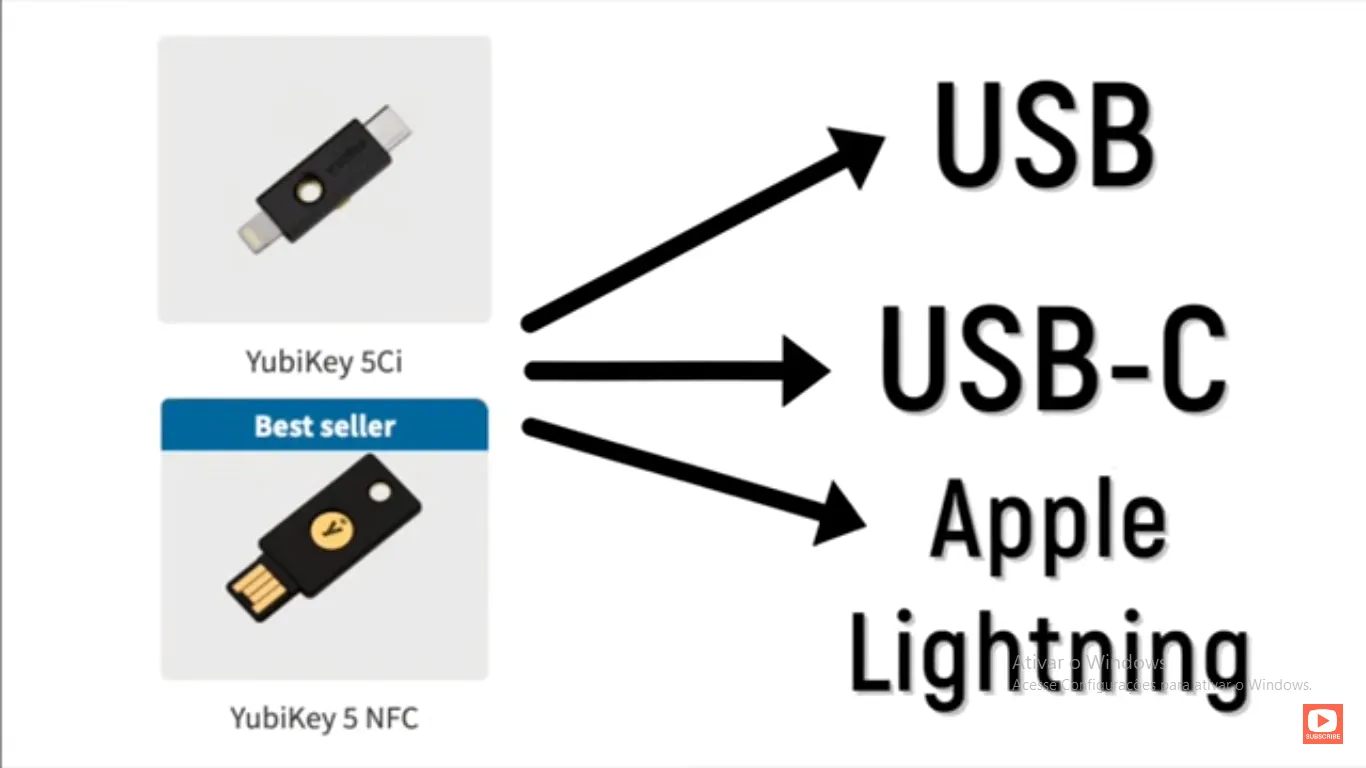
With hardware security keys like the YubiKey, you simply plug the hardware key into the USB or Type-C port on your desktop/laptop or smartphone, and the key completes the verification for you.
Hardware security keys offer several advantages over traditional password-based authentication methods. They are much more difficult to attack than passwords, which can easily be compromised through brute force, social engineering or phishing attacks. Security keys generate a unique code each time they are used, making it nearly impossible for attackers to predict or replicate the code. They are also easy to use and configure and do not require any additional software or drivers to be installed on your device.
No, hardware security keys come in many formats and may not be compatible with all devices and operating systems. Before purchasing a key, make sure it is compatible with your device and operating system.
Ee, enwere ike iji otu igodo nchekwa ngwaike iji kpuchido ọtụtụ akaụntụ na weebụsaịtị na ọrụ dị iche iche.
Ọ bụrụ na ị tufuo igodo nchekwa ngwaike gị, ị nwere ike ịnwe akaụntụ gị egbochi. A na-atụ aro ka ị nwee igodo nkwado ma ọ bụ usoro nkwenye ọzọ iji zere ọnọdụ a.
Ndị a bụ ụfọdụ ihe atụ nke 2FA Hardware dị na ahịa.
** Yubico YubiKey 5 NFC **
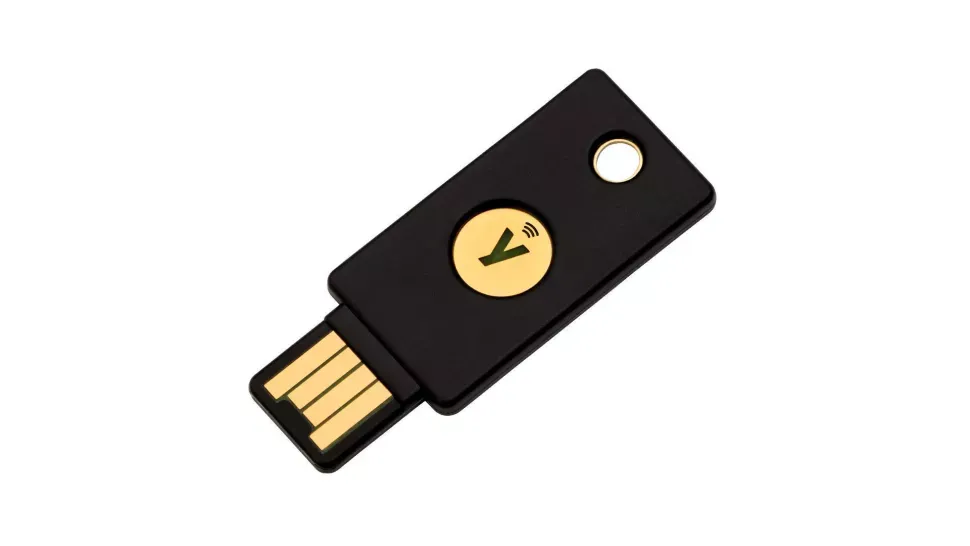
Manufactured by Yubico, co-developer of the FIDO U2F open authentication standard used by many security keys, the YubiKey 5 NFC is in safe hands to protect your devices. As its name suggests, it works using USB A (or USB C using an adapter) or NFC.
It offers out of the box compatibility with many services including Google Chrome, Facebook, Dropbox, LastPass, 1Password and more. The YubiKey 5 is compact, durable and lightweight - and it is even waterproof.
Ị nwere ike ịhazi YubiKey dị ka ihe nke abụọ U2F n'enweghị nsogbu ọ bụla site na ịgbaso ntuziaka ọrụ ma tinye igodo ahụ n'ime oghere USB mgbe a gwara gị. Ịpị ma ọ bụ ịpị gburugburu ọla edo na igodo ga-edebanye igodo gị, yabụ oge ọzọ ị banyere, tinye paswọọdụ, tinye igodi ahụ, ma pịa ya.
** Thetis Fido U2F Nchekwa Igodo **
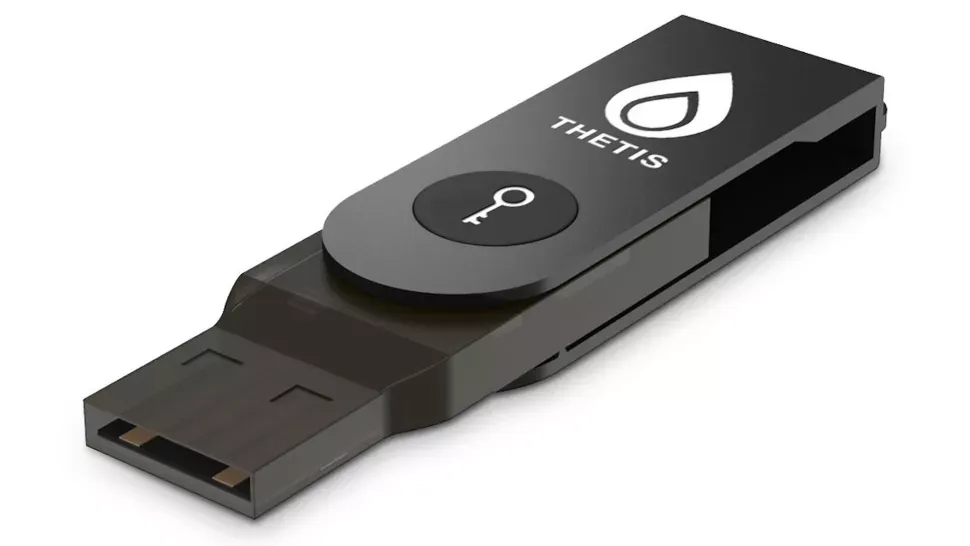
If you are looking for the best bang-for-buck in a security key, this model from Thetis should be on your list. There is no Bluetooth onboard (it is available on a more expensive model), and it only supports the FIDO U2F standard so there is no UAF or OTP compatibility. However, it will provide secure website access if you use Chrome or Opera as a browser on Windows, macOS, or Linux.
Handily, this affordable security key sports a compact folding design with a rotating aluminum casing that prevents the connector from being exposed to potential damage while transporting. It comes in three attractive colors: Black, Gold, and Silver.
Ihe mkpuchi plastik ahụ siri ike ma dịtụ ike, mana ị ga-achọ izere itinye ya na ihe ndị dị arọ n'akpa gị. Oghere oghere na igodo ahụ abụghị nnukwu, yabụ ị ga - enwe nhọrọ ole na ole maka itinye keychains ma ọ bụ lanyards.
CryptoTrust NaanịKey
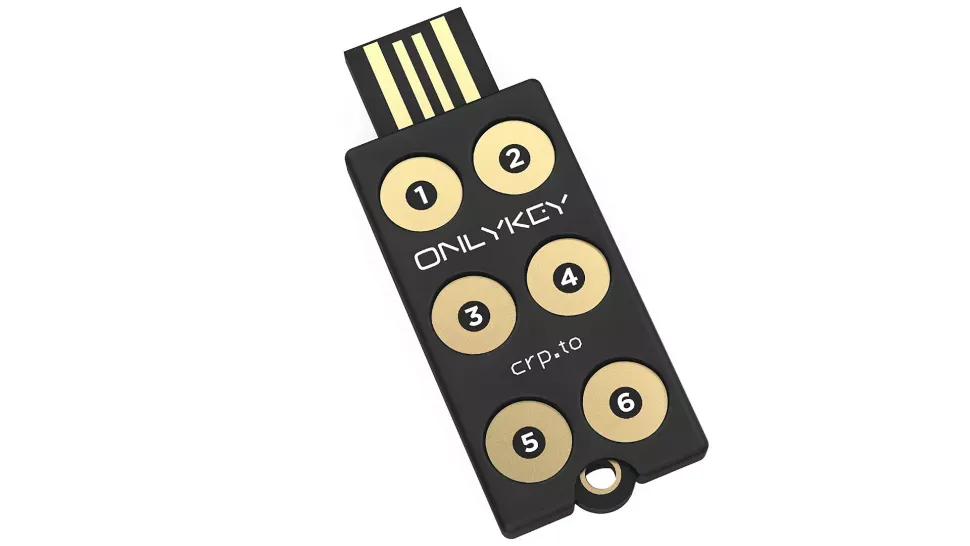
As its name suggests, OnlyKey has some nifty features its rivals lack. Thanks to an onboard keypad that can bypass keyloggers that find their way onto computers, it can keep online accounts safe if a computer or website is compromised. It supports multiple methods of 2FA, including FIDO 2 U2F, Yubico OTP, and TOTP.
While it is not the best password manager for mainstream purposes, OnlyKey can store 24 OTP accounts, 24 passwords, and 24 usernames/URLs, on a single key. This feature is pretty handy if you're not keen on memorizing multiple passwords and want the key to handle it for you.
It offers features such as encrypted backup, self-destruct (which wipes the device after a certain number of incorrect attempts), and the ability to update the firmware to access new features. On the downside, its user interface is far from ideal.
Ugbu a ị maara ihe igodo 2FA Hardware bụ na otu ha si arụ ọrụ, lee otu esi ejikọ igodo gị na akaụntụ Google gị.
Nzọụkwụ 1 Banye na akaụntụ Gmail gị wee pịa Jikwaa Akaụntụ Google gị
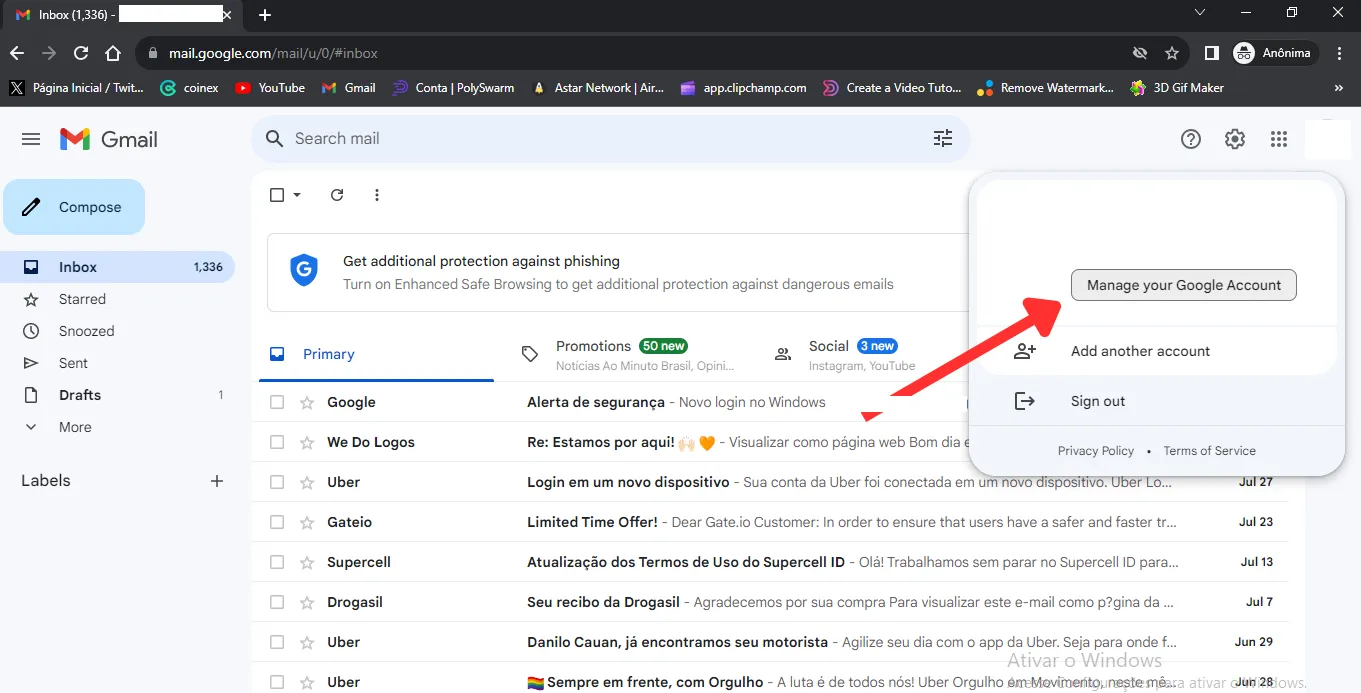
Nzọụkwụ 2 Pịa na ** Nchebe **
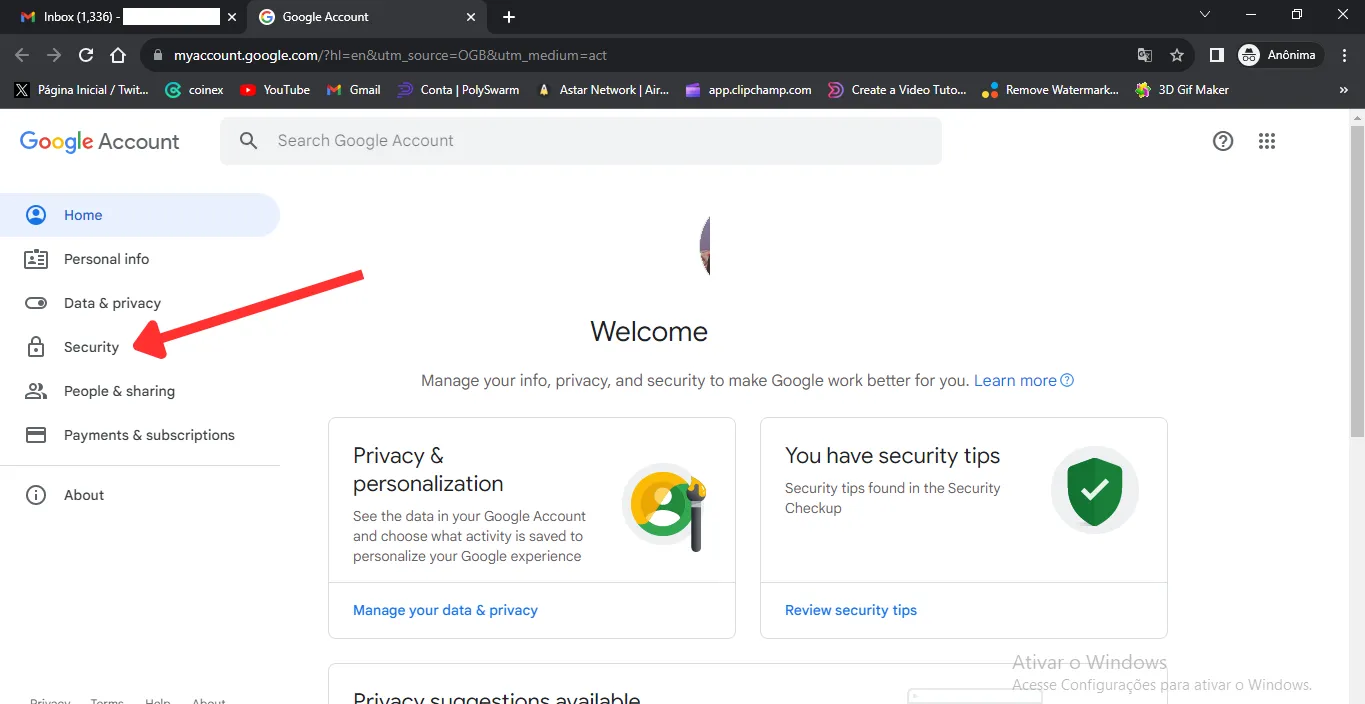
Nzọụkwụ 3 Pịa na ** Nyocha Nzọụkwụ Abụọ **
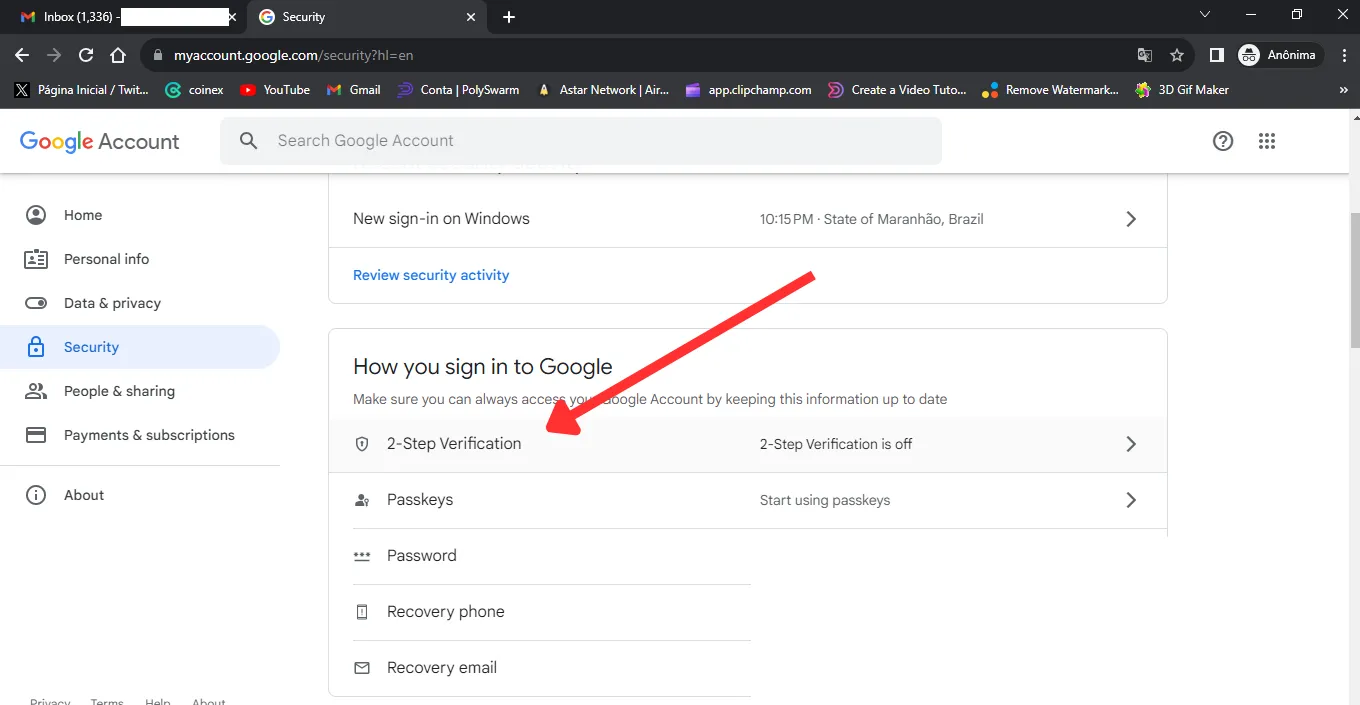
Nzọụkwụ 4 Họrọ ** Gosi Nhọrọ Ndị Ọzọ **
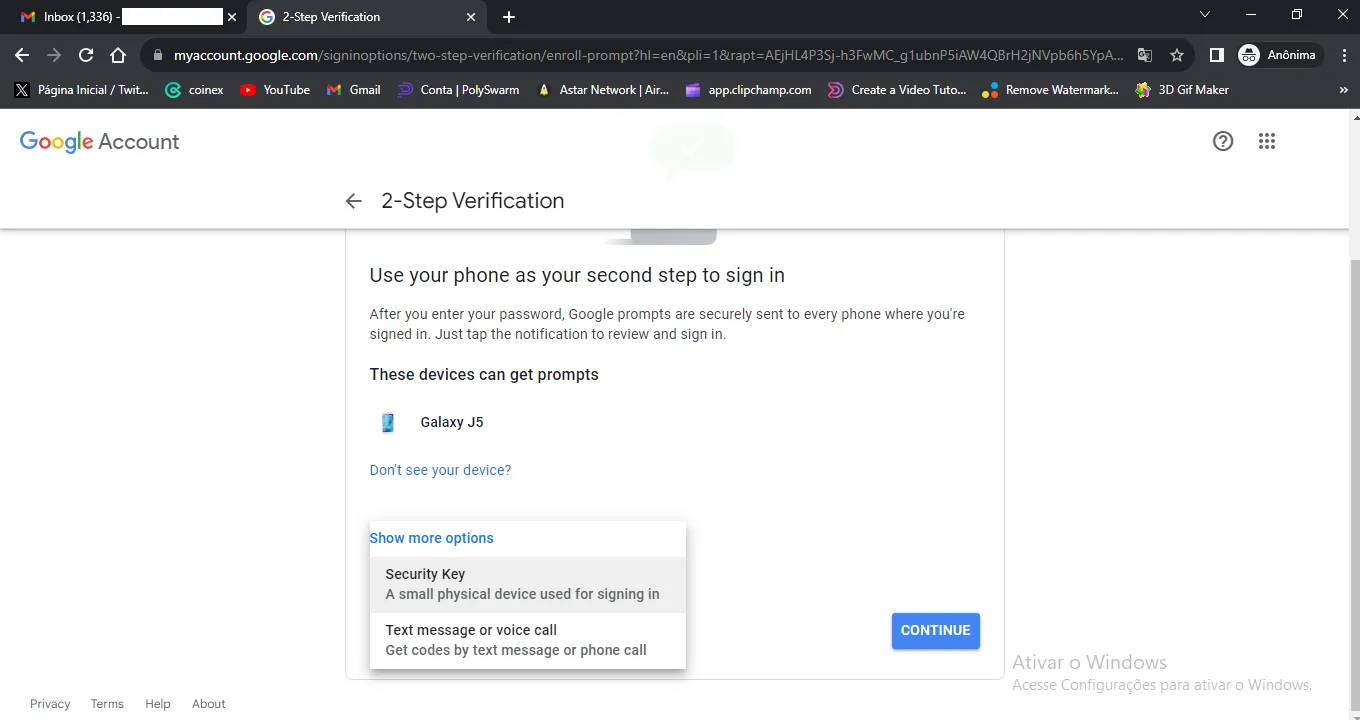
Nzọụkwụ 5 Ugbu a họrọ ** Nchekwa Key ** wee pịa na ** Advance **
Nzọụkwụ 6 Jikọọ igodo nchekwa 2FA gị
Nzọụkwụ 7 Dee aha ị chọrọ maka ngwaọrụ ahụ wee pịa ** Emechara **