


In this guide we learn how to create a git cloneable URL for your GitHub repository served using an IPFS CID.
This is useful to ensure content availability regardless of geographic region, censorship resistance and as a persistent backup of valuable information!
Note: Data uploaded to IPFS is available to all network users. You may wish to locally encrypt personal/sensitive data.
Follow installation instructions provided here
In this example we use Linux, other OS versions are available.
Check installation was successful using ipfs –version
To start, select a Git repository you want to host & clone it:
Run Command: “git clone https://github.com/zechub/zechub”
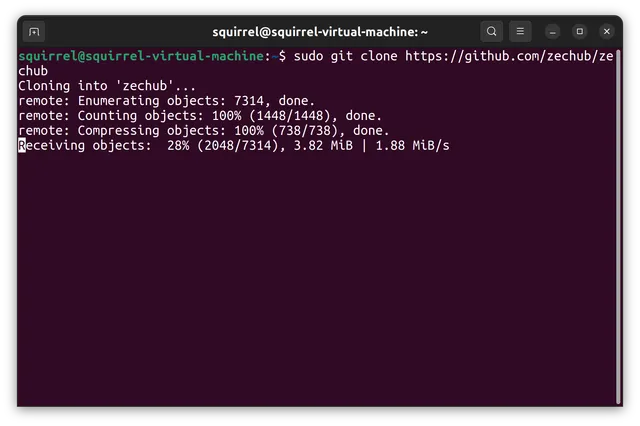
Now, to get it ready to be cloned via IPFS.
cd zechub git update-server-info
Unpack Gits objects:

Doing this will allow IPFS to deduplicate objects if you update the Git repository later on.
Once you have done that, that repository is ready to be served. All that is left to do is to add it to IPFS:
$ pwd
/code/myrepo
$ ipfs add -r
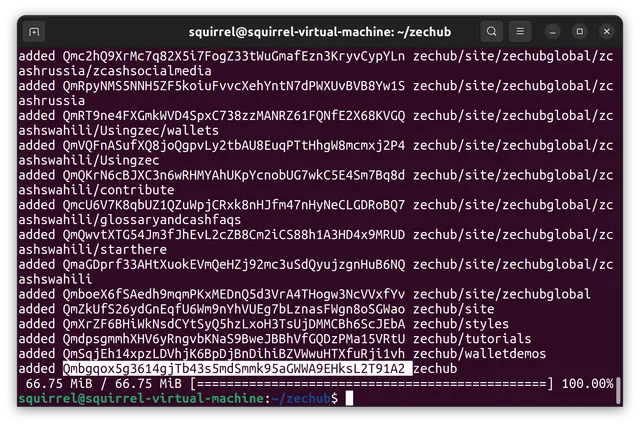
The resulting CID: Qmbgqox5g3614gjTb43s5mdSmmk95aGWWA9EHksL2T91A2
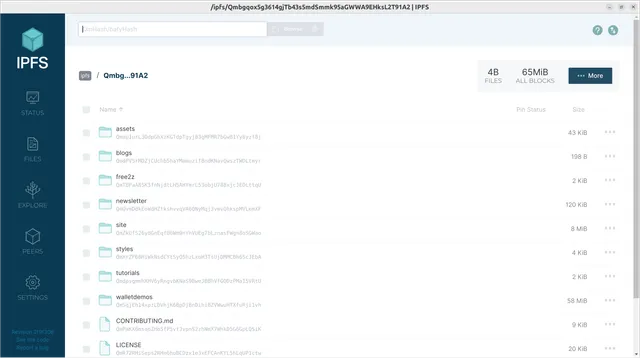
Brilliant! Now your repository is uploaded to the network.
You should now be able to retrieve the GitHub repository using:
git clone http://ipfs.io/ipfs/yourCID
Alternatively you are able to search & retrieve using your local IPFS node.
Final Note: The repo folder on IPFS does not receive updates alongside the actual github repository. It is recommended to reupload the folder at regular intervals.